StoryCode

ab (apache bench) 테스트

IT 용어, 인터넷 활용 등등
반응형

1) 설치

  1.1) Xampp 설치 ( https://www.apachefriends.org/download.html )

  1.2) CMD

  1.3) cd C:\xampp\apache\bin

  1.4) ab -n 1000 -c 20 -g gnuplot.dat -k -H "Accept-Encoding: gzip, default" http://example.com


2) -g 옵션 gnuplot 설명


참고 : https://stackoverflow.com/questions/5929104/apache-bench-gnuplot-output-what-are-the-column-definitions

-g 옵션 ( gnuplot ) 항목 설명


3) 초당 처리단위 계산을 위한 테스트 방법의 구상

  3.1) 최악의 경우 서비스 가능한 양을 측정하는 것이 좋다. 그러기 위해서는 가장 많이 서비스 되면서 가장 무거운 기능을 타겟으로 삼는 것이 좋다. 단순히 홈페이지 접속만으로 테스트할 경우 실제 상황에서는 대처가 안된다.


  3.2) "타겟한 기능" 이 단일 프로세스에서 몇 ms 가 걸리는 가를 추정 측정

ab -n 100 -c 1 으로 wait 평균. 많이 튈 경우 상하위 20% 씩 제거하고 나머지 60% 평균을 단일코어 1회 프로세스 타임으로 규정


  3.3) 3.2 와는 동일하나 zip 모드에서 얼마나 걸리는가 추정 측정. zip 으로 인한 부하가 커서 오히려 느려질 수 있으니 3.1 과 3.2 의 평균중 에서 낮은 방식으로 이후 테스트 진행

ab -n 100 -c 1 -H "Accept-Encoding: gzip, defalt" 으로 wait 평균.


  3.4) 이후 " 1초 / 단일코어 1회 프로세스 타임 " 으로 나눈 수 X Core 수 = CPU 능력치 를 C 에 대입한다.

ab -n 10000 -c CPU 능력치 -H "할지말지 선택" 으로 우선 테스트를 진행한다.

결과는 gnuplot.CPU능력치.result 로 저장.


  3.5) 하이퍼 쓰레드가 반영이 되는 경우도 있으므로,

ab -n 10000 -c CPU 능력치 X 2 -H "할지말지 선택" 으로 우선 테스트를 진행해본다.

결과는 gnuplot.CPU능력치X2.result 로 저장.


----------------------------------------------------------------------------------------


4) 초당 처리단위 계산을 위한 테스트 방법의 구상

- 테스트는 보수적으로 테스트해야 한다.


  4.1) 최악의 경우 서비스 가능한 양을 측정하는 것이 좋다. 그러기 위해서는 가장 많이 서비스 되면서 가장 무거운 기능을 타겟으로 삼는 것이 좋다. 단순히 홈페이지 접속만으로 테스트할 경우, index.html 같은 static file 만 테스트가 되므로 실제 상황에서는 대처가 안된다.


  4.2) "타겟한 기능" 이 단일 프로세스에서 CPU 부하가 몇 % 인지 측정하기 위해,

ab -n 100 -c 1 으로 부하를 준다음, 서버에서 sar 로 cpu 부하를 측정한다.

  참고 : 3.2 에서는, 가능하다면 1개의 Core 만으로 테스트 가능하면 좋다.


          이유는 하나의 트랜잭션이 0.03 초 같은 식으로 매우 짧을 경우인데,

          CPU 가 여러개일 경우 각각 다른 CPU 에서 트랜잭션이 수행되면 CPU 부하를 측정하기 힘들기 때문이다.


  4.3) 서버로 두개의 터미널을 띄운뒤,

한대에는 vmstat -t 1을 실행 ( 1 Core 일 경우 의미가 있음 )

한대에는 top 후 1 을 눌러서 Core 별  CPU 보이도록한다. ( MP 일 경우 의미가 있음 )


중요한 점은 ab 가 -c 1 이므로 1개의 Core 에만 몇 % 부하가 가는 지="단일프로세스Load측정치"를 확인한다.


만약, 서버 CPU 를 측정할 수 없다면, ab -g 옵션에서 wait 초="단일프로세스Load측정치"를 측정한다.

CPU 나 wait 가 많이 튈 경우 상하위 20% 씩 제거하고 나머지 60% 평균을 단일코어 1회 프로세스 타임으로 규정


  4.4) 3.2 와는 동일하나 zip 모드에서 얼마나 걸리는가 추정 측정. zip 으로 인한 부하가 커서 오히려 느려질 수 있으니 3.1 과 3.2 의 평균중 에서 낮은 방식으로 이후 테스트 진행

ab -n 100 -c 1 -H "Accept-Encoding: gzip, defalt" 으로도, CPU 혹은 wait "단일프로세스Load측정치" 를 측정해 본다.


  4.5) 이후 100% / CPU "단일프로세스Load측정치" 나 1초 / wait단일프로세스Load측정치 으로 나눈 수 X Core 수 = CPU 능력치 를 ab -c 에 대입한다.

ab -n 10000 -c CPU 능력치 -H "할지말지 선택" 으로 우선 테스트를 진행한다.

결과는 gnuplot.CPU능력치.result 로 저장.

  이 경우 top 이나 vmstat 를 확인하여 CPU 가 Full Load 인지 확인한다.


  4.6) 하이퍼 쓰레드가 반영이 되는 경우도 있으므로,

ab -n 10000 -c CPU 능력치 X 2 -H "할지말지 선택" 으로 우선 테스트를 진행해본다.

결과는 gnuplot.CPU능력치X2.result 로 저장.

  이 경우 top 이나 vmstat 를 확인하여 CPU 가 Full Load 인지 확인한다.


------------------------------------------------------------------------


  5) 상대방을 납득 시킬 수 있어야 한다.

만약 100tps 가 필요하다고 하면, 1초내에 100tps가 처리되야 한다는 뜻이다.


근데 1초 100tps 도 의미가 다양하다.

예를 들어 0초에 100개의 Request 가 동시에 발생할 수도 있고, 

0.0초에 10개의 Request, 0.1 초에 10개의 Request, 0.2 초에 10개의 Request...0.9초에 10개의 Request 가 발생할 수도 있다.

즉, Concurrent 최대 100 까지 했을 경우 처리가 잘되는 지 확인하는 것이다.

어쨌건 Concurrent 10부터 100 까지 적당한 간격으로 테스트하면서 처리시간과 Core 별 로드를 체크해보는 것이 중요하다.


이때 후자는 1초내에 처리가 될 수도 있지만, 전자는 안될 수도 있다.


추가 사용법 --------------------------------------------------------------------------------------------------------

- ab 에서 -v 4 옵션을 주면 모든 Request 의 Response 결과가 출력된다.

- gnuplot 차트실행 : script 를 먼저 만들고, gnuplot> load "script" 하던지, cmd > gnuplot "script" 한다.


추가 ------------------------------

windows 용 ab 는 2020년 5월 현재 2.4 가 최신이다.

2.3으로 하니 URL 이 길어서인지 안되는 게 좀 있어서 2.4 를 사용하는 것이 좋다.


https://www.apachelounge.com/download/


에서 "Apache 2.4.43 Win64" 을 받으면 ab 가 있으니 사용하면 된다.


반응형

'IT 용어, 인터넷 활용 등등' 카테고리의 다른 글

Software.Architect.AA, TA, DA, QA, BA  (0) 2020.08.21
CI, DI  (0) 2020.04.20
Javascript.Hoisting  (0) 2020.02.08
whois.com 에서 whois.co.kr 로 이전하기  (0) 2019.07.01
Serverless Architecture  (0) 2018.12.06

Asteroid and Comet Groups ( 소행성군, 혜성군 )

짤지식
반응형

http://sajri.astronomy.cz/asteroidgroups/groups.htm

반응형

'짤지식' 카테고리의 다른 글

자동차 교차로 노란불 지날때 카메라 단속되는 경우  (0) 2021.07.31
국가 경쟁력 순위  (0) 2019.10.09
수달  (0) 2019.10.09
정권별 사형집행 회수  (0) 2019.09.25
한국 언론 신뢰도 38 등/ 38 개 국가.  (0) 2019.09.24

VMWARE.macOS Catalina 설치.오류.디스크가 안보일경우

OS 설치, VMWare 설치 관련
반응형

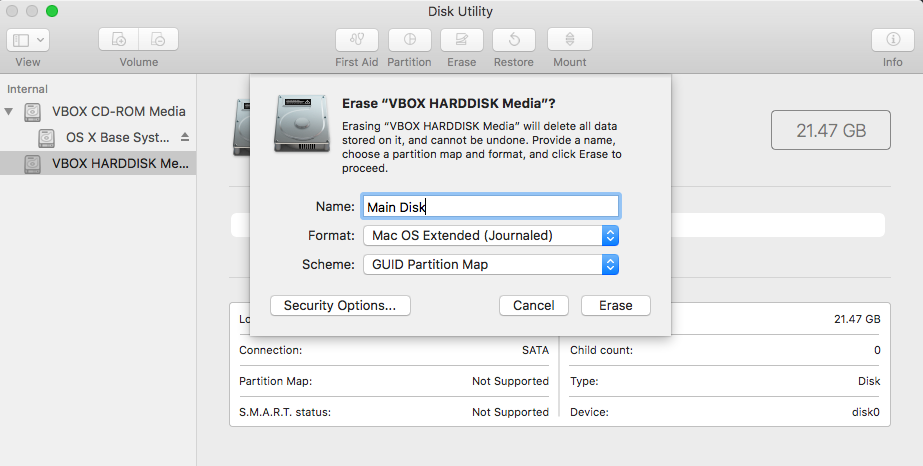
VM 에 Mac 설치시 디스크가 안보일경우, 

Mac 을 재 시작후


Erase 후에 다시 설치 시도하면 디스크가 나타남.


Erase 후에 다시 설치해보기

반응형

소스 코드 정리, Source

Web Dev, HTML, CSS, SVG, BootStrap/Tool
반응형

1. http://prettydiff.com/?m=beautify

   코드 정리 및 비교도 하고 최소화도 해줍니다.


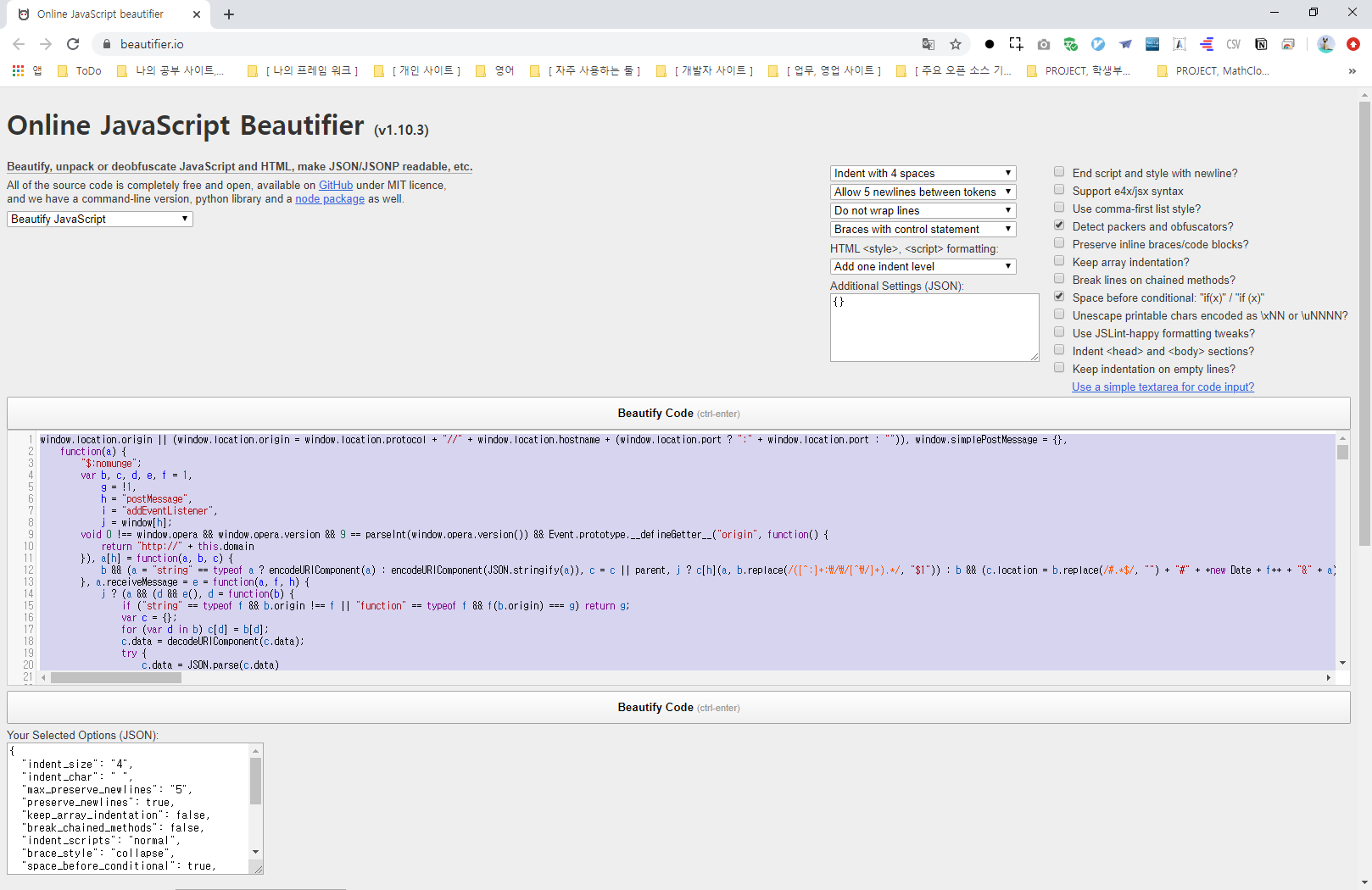
2. http://jsbeautifier.org/

   몇가지 속성을 주어서 사용자 입맞에 맞게 코드를 정리할 수 있습니다.

3. http://tools.arantius.com/tabifier

   그냥 간단하게...


4. http://html.segio.com/ko/?shell=index.shell:0

   코드 정리라기 보다는 불필요한 태그등을 "미리보기"화면을 보면서 정리할 수 있는 사이트


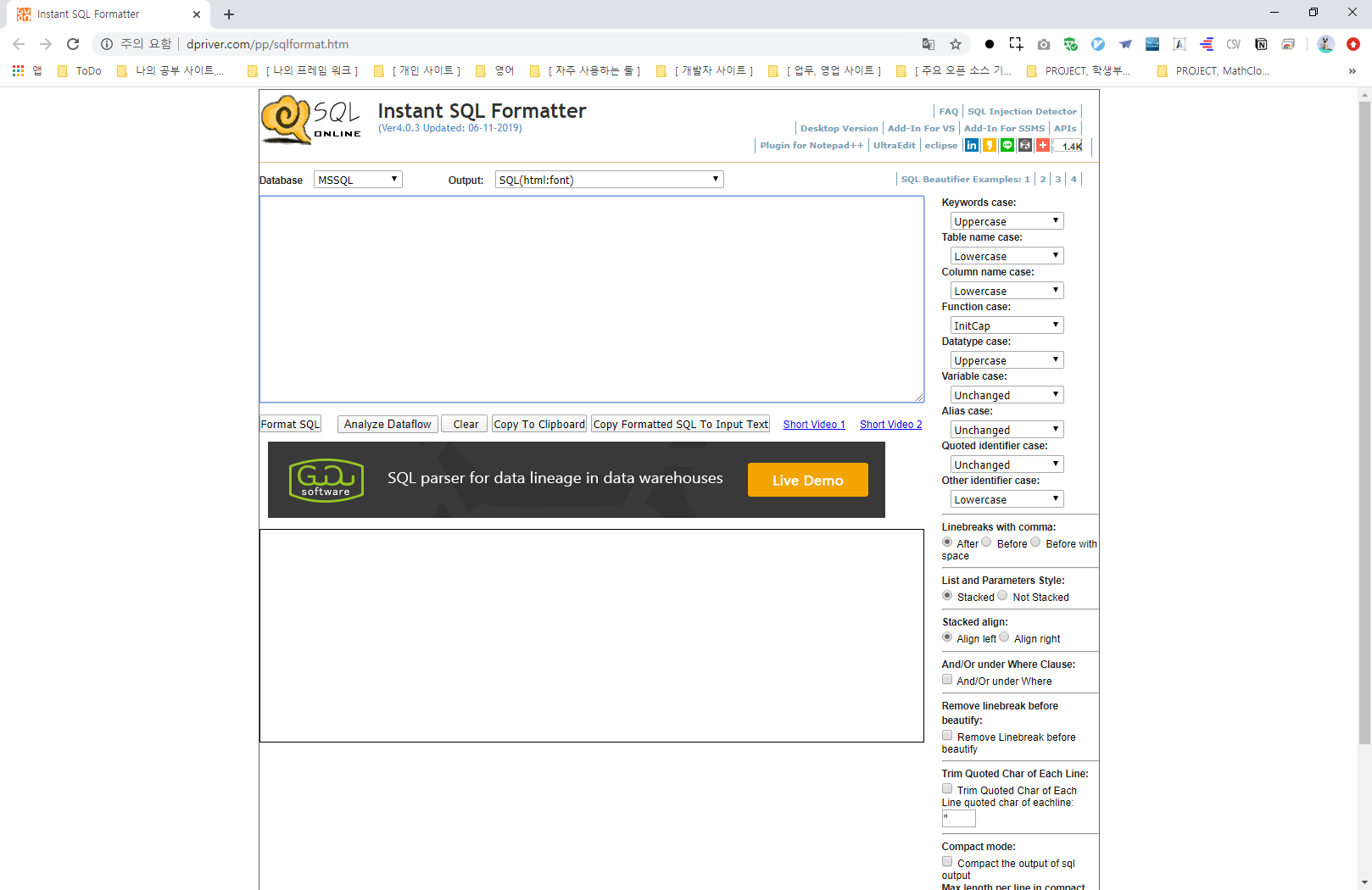
5. http://www.dpriver.com/pp/sqlformat.htm

   SQL 코드를 정리해주는 사이트

반응형

Count, 카운트

JavaScript, ECMAScript
반응형

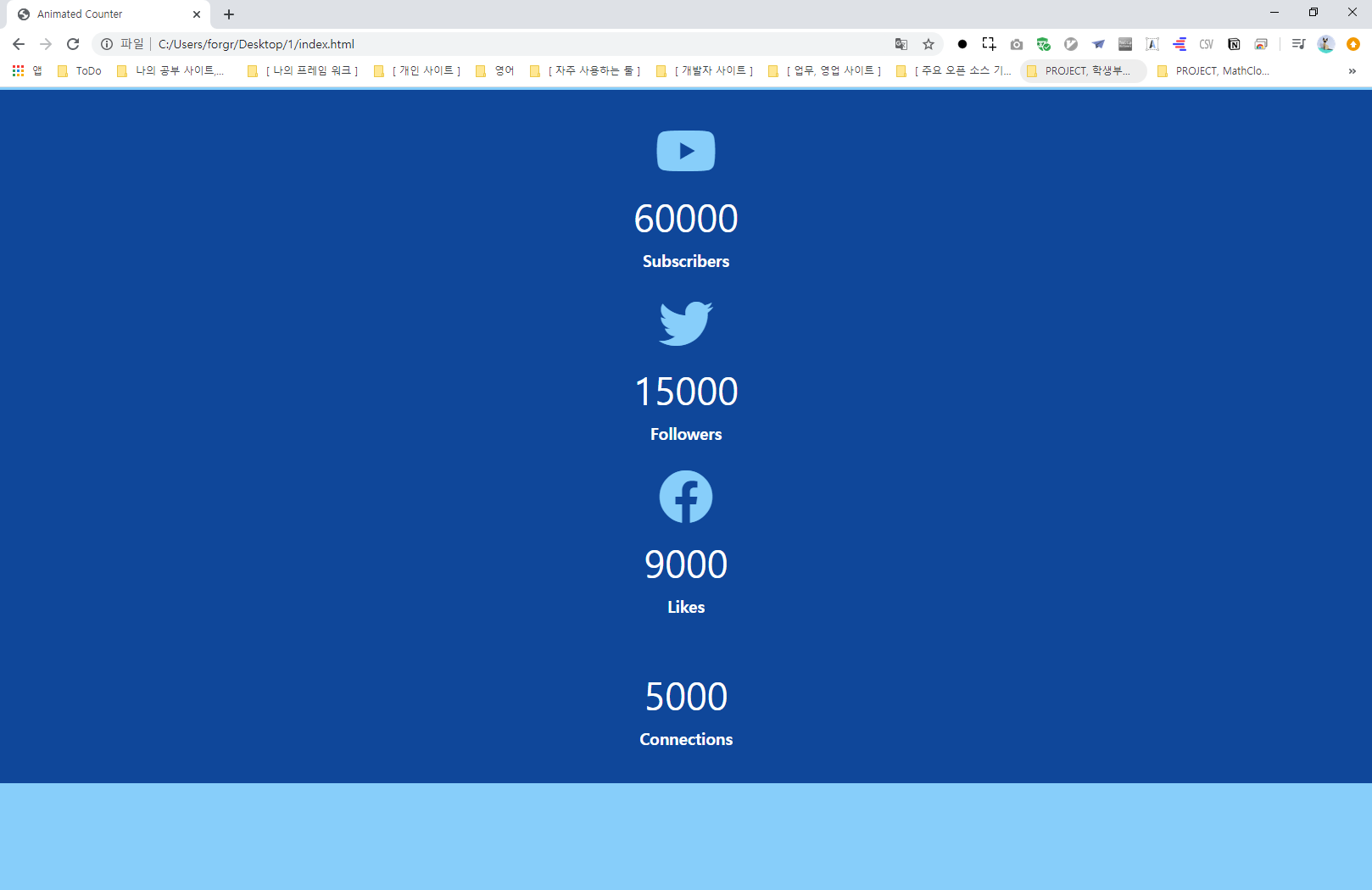
index.html
0.00MB
script.js
0.00MB
style.css
0.00MB

반응형

'JavaScript, ECMAScript' 카테고리의 다른 글

문법 기본  (0) 2020.10.07
자바스크립트 역사.  (0) 2020.09.21
실수를 정수로 바꾸는 방법  (0) 2020.03.04
Hoisting.호이스팅  (0) 2020.02.12
자바스크립트.변수.모니터링워처  (0) 2020.02.01

설치

Google, Flutter
반응형

1) https://flutter-ko.dev/docs/get-started/install/windows


2) bin 디렉토리를 PATH 추가


3) flutter 디렉토리에 flutter_console.bat 을 관리자 권한으로 실행

* 관리자 권한으로 실행하지 않으면 flutter 명령이 멈춘 상태로 가만히 있게 된다.


4) flutter_console> flutter doctor

안드로이드 SDK 설치에 [x] ,[!] 등등이 나오므로 안나오게 하자.


반응형

실수를 정수로 바꾸는 방법

JavaScript, ECMAScript
반응형

참조 : https://www.geeksforgeeks.org/how-to-convert-a-float-number-to-the-whole-number-in-javascript/


How to convert a float number to the whole number in JavaScript?

There are various methods to convert float number to the whole number in JavaScript.

  1. Math.floor (floating argument): Round off the number passed as parameter to its nearest integer in Downward direction.
    Syntax:Math.floor(value)

    filter_none

    edit

    play_arrow

    brightness_4

    <script>

      //float value is 4.59;

       var x = 4.59;

       var z = Math.floor(x);

       document.write("Converted value of " + x + " is " + z);

    </script>

    Output :

    Converted value of 4.59 is 4
  2. Math.ceil (floating argument): Return the smallest integer greater than or equal to a given number.
    Syntax:Math.ceil(value)

    filter_none

    edit

    play_arrow

    brightness_4

    <script>

      //float value is 4.59;

       var x = 4.59;

       var z = Math.ceil(x);

       document.write("Converted value of " + x + " is " + z);

    </script>

    Output :

    Converted value of 4.59 is 5
  3. Math.round (floating argument): Round a number to its nearest integer.
    Syntax:Math.round(var);

    filter_none

    edit

    play_arrow

    brightness_4

    <script>

      //float value is 4.59;

       var x = 4.59;

       var z = Math.round(x);

       document.write("Converted value of " + x + " is " + z);

    </script>

    Output :

    Converted value of 4.59 is 5
  4. Math.trunc (floating argument): Return the integer part of a floating-point number by removing the fractional digits.
    Syntax:Math.trunc(value)

    filter_none

    edit

    play_arrow

    brightness_4

    <script>

      //float value is 4.59;

       var x = 4.59;

       var z = Math.trunc(x);

       document.write("Converted value of " + x + " is " + z);

    </script>

    Output :

    Converted value of 4.59 is 4
  5. parseInt (floating argument): Accept the string and convert it into an integer.
    Syntax:parseInt(Value, radix)

    filter_none

    edit

    play_arrow

    brightness_4

    <script>

      //float value is 3.54;

       var x = 3.54;

       var z = parseInt(x);

       document.write("Converted value of " + x + " is " + z);

    </script>

    Output :

    Converted value of 3.54 is 3
  6. double bitwise not (~~) operator: Round a number to towards zero. If the operand is a number and it’s not NaN or Infinity.
    Syntax:~~value

    filter_none

    edit

    play_arrow

    brightness_4

    <script>

      //float value is 4.59;

       var x = 4.59;

       var z = ~~x;

       document.write("Converted value of " + x + " is " + z);

    </script>

    Output :


    Converted value of 4.59 is 4
  7. bitwise OR (|) operator: Round a number to towards zero.
    Syntax:var = value | 0;

    filter_none

    edit

    play_arrow

    brightness_4

    <script>

      //float value is 5.67;

       var x = 5.67;

       var z = x | 0;

       document.write("Converted value of " + x + " is " + z);

    </script>

    Output :

    Converted value of 5.67 is 5
  8. Using shift (>>) operator: Round a number to towards zero.
    Syntax:var = value >> 0;

    filter_none

    edit

    play_arrow

    brightness_4

    <script>

      //float value is 5.63;

       var x = 5.63;

       var z = x >> 0; 

       //it is same as we are dividing the value by 1.

       document.write("Converted value of " + x + " is " + z);

    </script>

    Output :

    Converted value of 5.63 is 5
  9. Using unsigned shift (>>>) operator Round a number to towards zero.
    Syntax:var = value >>> 0;

    filter_none

    edit

    play_arrow

    brightness_4

    <script>

      //float value is 5.68;

       var x = 5.68;

       //it is same as we are dividing the value by 1.

       var z = x >>> 0; 

       document.write("Converted value of " + x + " is " + z);

    </script>

    Output :

    Converted value of 5.68 is 5
  10. By subtracting the fractional part
    Syntax:var = val - val%1;

    filter_none

    edit

    play_arrow

    brightness_4

    <script>

      //float value is 5.48;

       var x = 5.48;

       var z = x - x%1;

       document.write("Converted value of " + x + " is " + z);

    </script>

    Output :

    Converted value of 5.48 is 5
  11. Using XOR (^) operator
    Syntax:var = value ^ 0;

    filter_none

    edit

    play_arrow

    brightness_4

    <script>

      //float value is 5.49;

       var x = 5.49;

       var z = x ^ 0;

       document.write("Converted value of " + x + " is " + z);

    </script>

    Output :

    Converted value of 5.49 is 5


반응형

'JavaScript, ECMAScript' 카테고리의 다른 글

자바스크립트 역사.  (0) 2020.09.21
Count, 카운트  (0) 2020.03.09
Hoisting.호이스팅  (0) 2020.02.12
자바스크립트.변수.모니터링워처  (0) 2020.02.01
한글 받침 구별법  (0) 2019.04.15

CSS1,2,3

Web Dev, HTML, CSS, SVG, BootStrap/CSS
반응형

반응형